

RestPeach
A local, git-native API client.
Requests live in your repository as text files: you send them, test them, review them in the diff and run them in CI, with no accounts and no cloud.
Prefer installing it?Windows installerLinux, with install.shSame app, added to the system search, with its uninstaller. It warns you about new versions.
Why RestPeach
Your APIs, in your repository
The best-known API clients keep collections in their cloud: to share them you invite people to a workspace, and when an endpoint changes the collection is updated somewhere else, at another time and without review. RestPeach turns that around.
The disk is the source of truth
The collection is the
.api/folder in your project: one folder per group and one text file per request.Reviewed like code
JSON with sorted keys and a stable format: an endpoint change shows up cleanly in the same pull request that changes the backend.
Secrets stay put
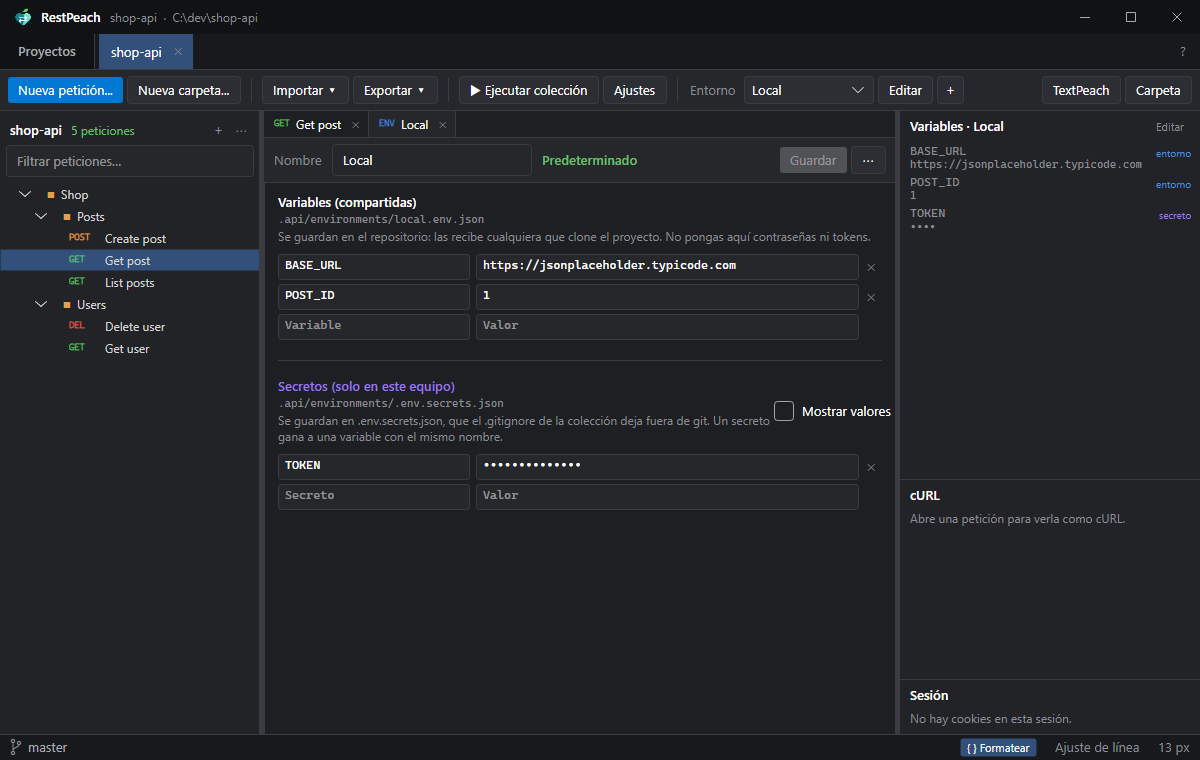
Shared variables go to the repository; tokens and passwords stay in a file git ignores that never leaves your machine.
Tests without scripts
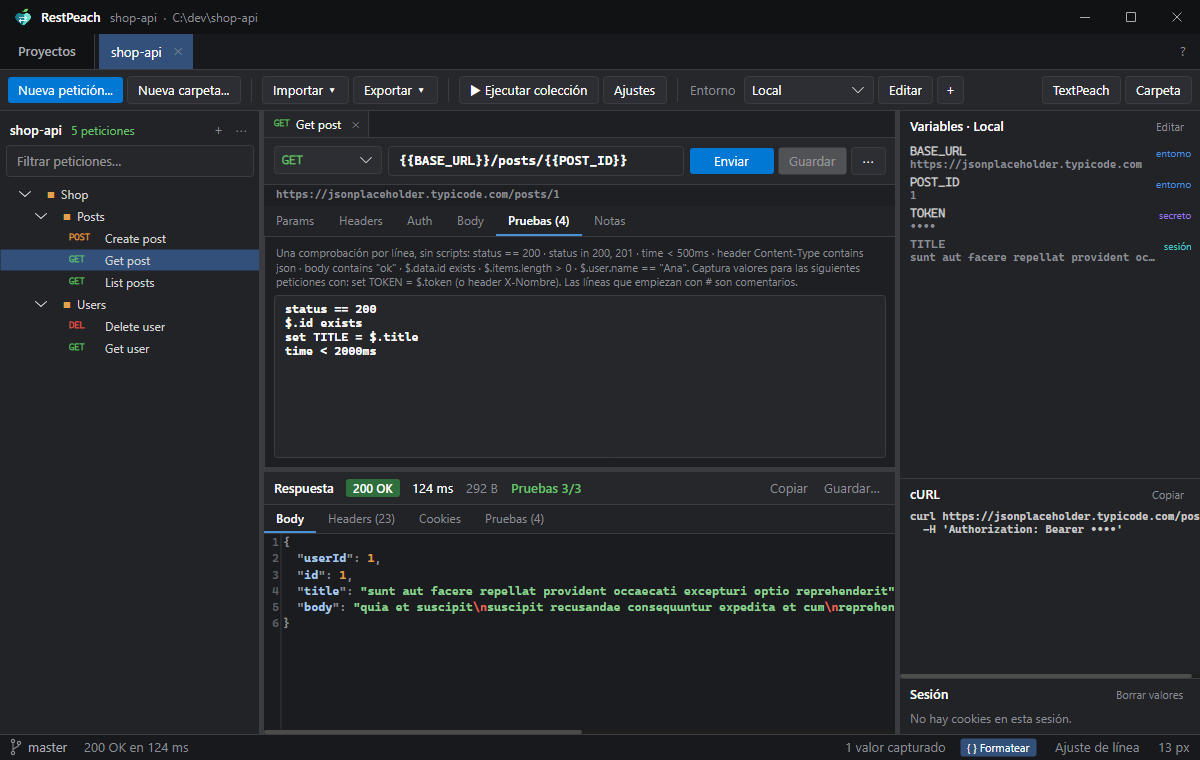
One check per line, readable in a diff and with no JavaScript engine. The same in the app and in CI.
Features
Everything you expect from an API client, without the cloud
Requests
GET, POST, PUT, PATCH, DELETE, HEAD and OPTIONS. Params synced with the URL, headers, JSON, XML, form-data or urlencoded body. Pasting a cURL imports it.
Response
Status, time and size; highlighted and formatted body, images, headers and cookies. Search, copy and save.
Layered variables
Collection, folders, environment, secrets and values captured during the session. The Variables panel tells you where each value comes from.
Inherited auth
Bearer, Basic or API key defined on the collection or a folder. You set the token once and it applies to everything below.
Run the collection
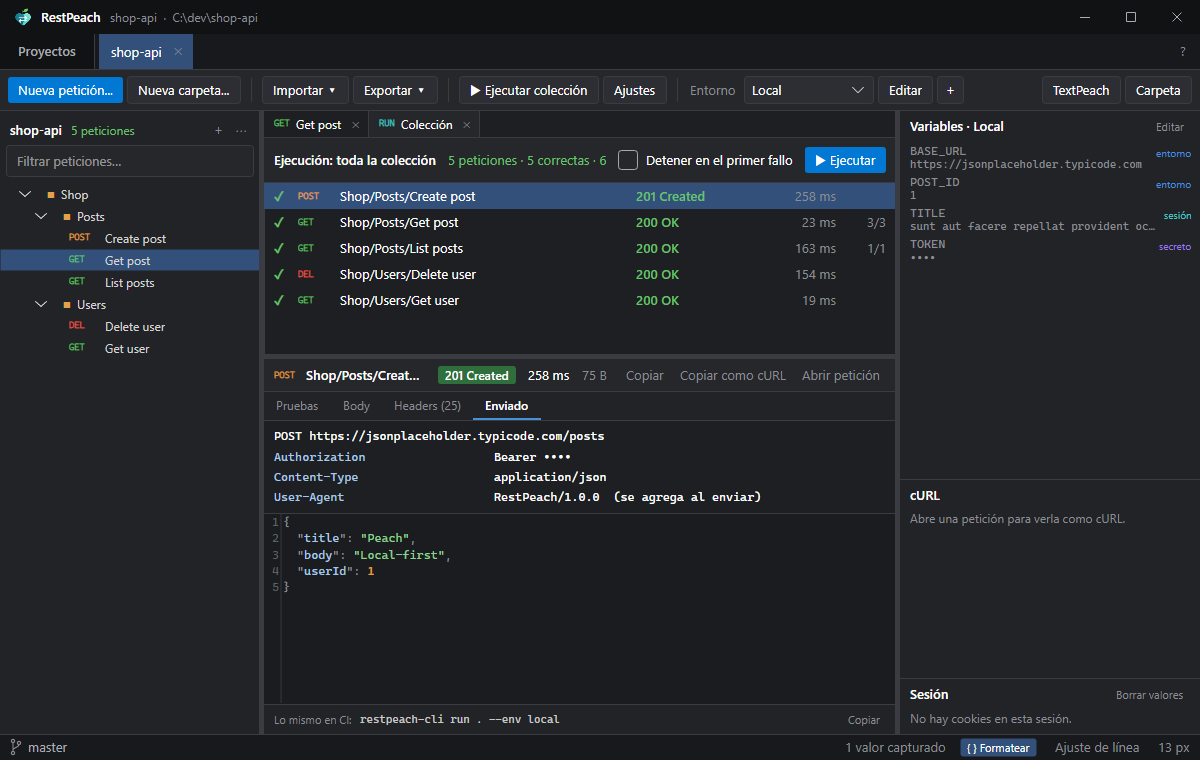
A folder or everything, in order, with “stop on first failure”. Each result shows its tests, the response and what was actually sent.
Import and export
Imports Postman 2.1, Insomnia 4, OpenAPI 3.x and cURL without overwriting anything. Exports to Postman, OpenAPI or a bash script with
curl.Git and the family
Branch and
.api/changes in the status bar. A click on the branch opens GitPeach; the TextPeach button opens the request to read it.Watches the disk
If something changes outside (a
git pull, another editor, an AI agent), the tree and the environments reload on their own.CLI for CI
restpeach-cliruns the collection just like the app: same variables, same auth, same tests. It returns 0 or 1.
Screenshots
What it looks like
Command line
The same in CI
restpeach-cli run runs the collection exactly like the app and tells you what failed and what it got. Exit code 0 if everything passed and 1 if something failed. Secrets come in with --var from the pipeline's protected variables.
Terminal
$ restpeach-cli run . --env staging --bail
RestPeach · Shop · environment: staging

  ✓ Shop/Posts/Create post  201 Created     142 ms  312 B
  ✓ Shop/Posts/Get post     200 OK           38 ms  1.2 KB
  ✗ Shop/Users/Get user     200 OK           41 ms  208 B
      ✗ $.user.name == "Ana"  (got "Ana María")

3 requests · 2 passed · 1 failed · 0.3 s
.github/workflows/api.yml
# GitHub Actions
- name: Test the API
  run: restpeach-cli run . --env staging
       --var TOKEN=${{ secrets.API_TOKEN }} --bail
restpeach-cli run [path] [--env] [--bail] [--filter] [--var]
restpeach-cli import <file> [--project] [--into]
restpeach-cli export <postman|openapi|bash>
restpeach-cli envs · initRequirements and setup
Your first request in a minute
- Download
restpeach-windows-x64-portable.exe(Windows) orrestpeach-linux-x64.tar.gz(Linux) and open it: it is portable. To have it in the Start menu or the app menu, userestpeach-windows-x64-setup.exeor./install.sh. - Click Add project… or drag a folder.
- If the project has no collection yet, RestPeach offers to create one with a
localenvironment, the.gitignorefor secrets and a.gitattributes. - New request (Ctrl+N), type the URL and Send (Ctrl+Enter).
- Save (Ctrl+S) and commit
.api/along with your code.
| System | 64-bit Windows 10 or 11, or Linux x64 with a desktop (X11 or XWayland) |
| .NET | Not needed: the executable is self-contained |
| Language | English and Spanish |
| Network | The requests you send, and GitHub once a day to look for a new version (can be turned off) |
| Imports | Postman 2.1, Insomnia 4, OpenAPI 3.x, cURL |
The Peach family
Works better with its siblings

GitPeach
gitpeach.peachapps.org
A plain, transparent git client for Windows and Linux.
RestPeach never runs git commands that write: a click on the branch opens the repository in GitPeach.
Explore GitPeach →
TextPeach
textpeach.peachapps.org
A code viewer and analyzer, read-only by design.
The TextPeach button opens the request or the project to read it calmly, with its outline and git status.
Explore TextPeach →
DataPeach
datapeach.peachapps.org
A fast, light database client for Windows and Linux.
SQL consoles saved as files, tables you can browse and edit, and every change reviewed as SQL before it reaches the database.
Explore DataPeach →
A single portable .exe
Nothing to install, not even .NET; an optional installer puts it in the system search. With a
portable.txtnext to it, data is stored beside the executable.No accounts or telemetry
No sign-up and no sync. On their own they only ask GitHub, once a day, whether there is a new version, and nothing is downloaded until you accept.
Your files, your repository
Everything lives in folders and text files you already track with git. No hidden databases.
One family
Same colors, shortcuts and tone. They find each other: a click on the branch opens GitPeach, a button opens TextPeach.
English and Spanish
They follow the system language or the one you pick in About (F1).
Free software
GPL-3.0-or-later. Use them for free, at work too; study the code and share your version.

Download
Your APIs, in your repository, reviewed like code.
Download the portable executable, put it in any folder and open it. If you prefer, install it: it shows up in the Start menu or the app menu. No account to create.
Prefer installing it?Windows installerLinux, with install.shSame app, added to the system search, with its uninstaller. It warns you about new versions.